The problem with generic audiences
Broadcasting the same flow to every user is lazy messaging. “Welcome!” shown to your power user on their 40th visit is noise. “Upgrade now!” shown to someone who just signed up five seconds ago is annoying. Good in-app messaging targets specific users in specific states — the ones close to converting, the ones stalling, the ones churning. Most tools make you hand-code those rules. Onboardics asks you to describe them.
How it works
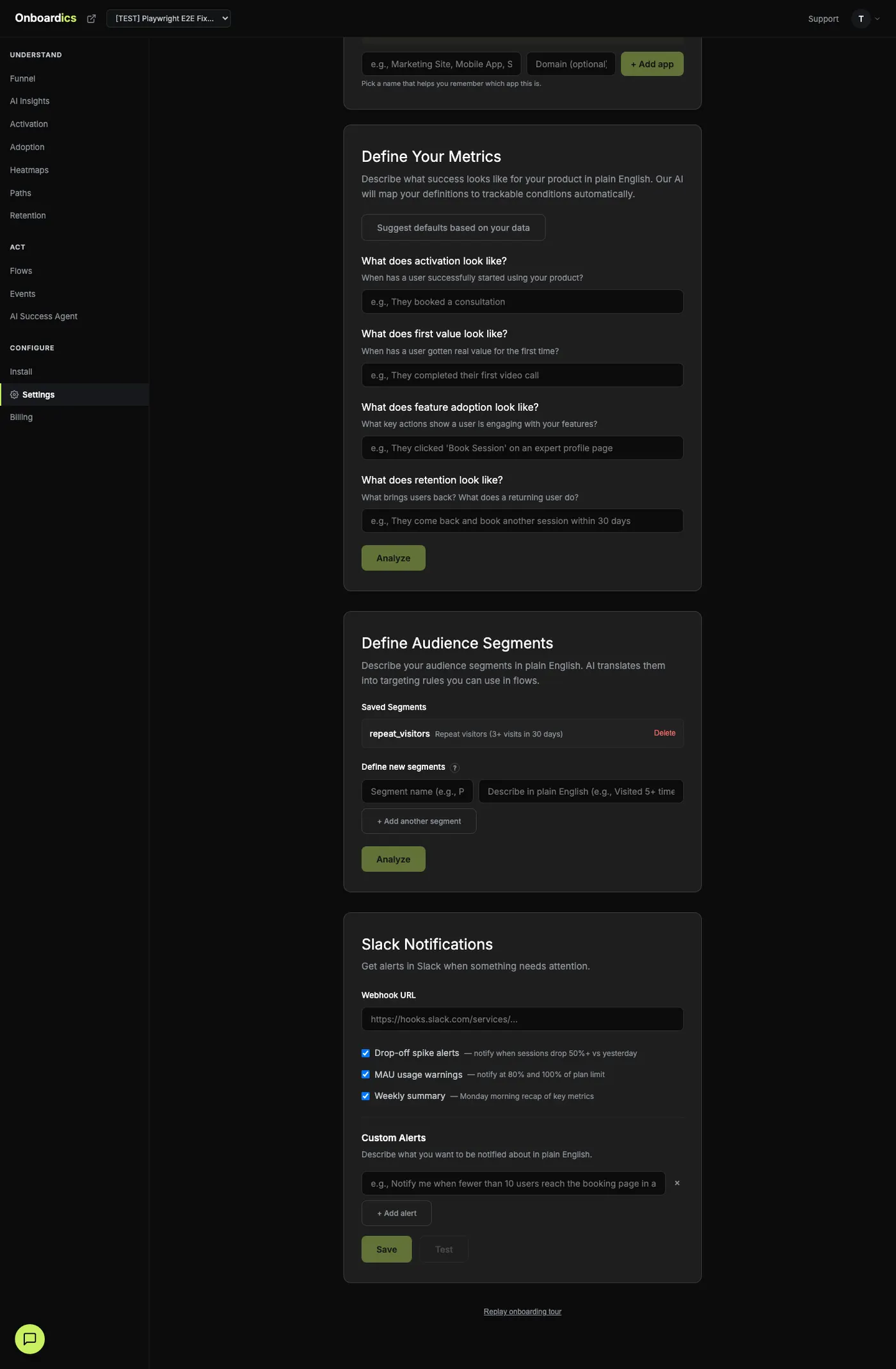
Describe your segment
Open the Segments tab in the dashboard sidebar. Give the segment a name and write a description in plain English. “Users who visited pricing 3+ times but haven’t signed up” is a complete spec.
AI translates to conditions
Claude reads your project's actual event data — page paths, identify() properties, visit patterns — and maps your description to structured conditions. Preview the rules with confidence scores before saving.
Target flows at that segment
In the flow builder, pick the segment from the Audience dropdown. That flow now only fires for users who match. The evaluation happens client-side in our tracking snippet — no server round-trip, no delay.
Real example
"Users who visited pricing 3 or more times in the last 14 days but haven't signed up yet — and who came from the blog originally."
Each condition shows a confidence score. If AI can't map something, it tells you and suggests a rewrite.
What AI understands
- Visit count: how many times a user has hit a page or triggered an event. "Visited pricing 3+ times" →
visit_count.pricing ≥ 3 - Time windows: recency of first or latest visit. "New users in the last 7 days" →
days_since_first_visit ≤ 7 - Pages visited: specific paths or patterns. "Has visited the blog" →
pages_visited includes /blog/* - Identify properties: whatever you pass to
identify()— plan, signup date, role, any custom trait. - Boolean logic: AND, OR, NOT combinations. "Enterprise users OR anyone on a trial" translates to a top-level OR group.
Where segments run
Segment evaluation happens client-side in the Onboardics tracking snippet. When a user loads a page, the snippet reads their visit history from localStorage (capped at 200 visits, cleaned every session) and evaluates each saved segment in under a millisecond. Matching segments get cached for the session. No server round-trip means no delay — flows fire the moment they should.
This also means segments work even for unidentified anonymous users. A visitor who lands on pricing three times over a week without signing up can be targeted by a flow, even though Onboardics never learned their email.
Pair segments with flows
- Pricing stallers: 3+ pricing visits, no signup → tooltip on pricing CTA: "Still comparing? Book a 15-min demo."
- Trial day 5: signed up 5 days ago, no activation milestone → modal: "You haven't created your first form yet. Want a walkthrough?"
- Power users: 20+ sessions, created 5+ forms → banner: “Invite your team — up to 3 members on Deploy.”
- Users who hit JS errors before converting: fired a
js_errorevent earlier in the session but have not completed the signup flow → modal: "Hit a snag? Our team is on standby — click here to chat." Catches users in frustration mode before they bounce for good. Requires no customer instrumentation: error capture is default-on with PII redaction. - Churn risk: no visit in 14 days, was previously active → email via your existing platform using the event webhook as a trigger.
Every event the snippet captures is segmentable
Segments aren't limited to page views and clicks. Every event type the tracking snippet emits is a dimension you can build conditions against:
page_view— with UTM, first-touch referrer, viewport, device_type metadataclickandrage_click— with element selector, visible text, coordinatesform_interaction— focus / blur / submit (field names pass through a PII denylist before emission)scroll_depth— max % scrolled per page, bucketed 0 / 25 / 50 / 75 / 100visibility_change— tab hidden / visible transitionsidle— 2+ minutes of no activity while the tab is visiblesession_end— session_duration_seconds + page_count + event_count at the end of every page lifetimetime_on_page,identify,js_errorcustom— anything you emit viawindow.__onboardics.track('event_name', { ...properties })- Flow telemetry —
flow_impression,flow_step_view,flow_step_complete,flow_dismissal,flow_completion
Using custom events
Anything the default event capture misses, you emit yourself with one function call. Custom events flow into the same pipeline as page views and clicks, and are usable in segment conditions immediately.
// After the snippet has loaded:
window.__onboardics.track('invoice_sent', { amount: 4200, plan: 'growth' });
The snippet loads asynchronously, so window.__onboardics may not be defined immediately on page load. Either call track() from an event handler (button click, form submit, etc.) or guard with if (window.__onboardics) window.__onboardics.track(...).
Example segments by product type
SaaS
track('workspace_created')→ segment "activated teams" for onboarding follow-upstrack('integration_connected', { provider })→ "users who installed Slack integration" for cross-sell flowstrack('plan_upgraded', { from, to })→ "recently upgraded" audience for feature-unlock tours
Marketplace
track('listing_published')→ segment "active sellers" vs "lurkers" for seller-onboarding flowstrack('booking_completed', { amount })→ "first-time buyers" for retention promptstrack('search_no_results', { query })→ "users who hit empty search" for inventory-expansion flows
Content / Media
track('article_read_complete', { article_id, read_time_s })→ "engaged readers" for newsletter promptstrack('video_watched', { percent_complete })→ "binge watchers" vs "abandoners" for recommendation flowstrack('paywall_hit', { article_id })→ "paywall-converters" for upgrade nudges
Pricing
AI-defined audience segments are available on Diagnose ($149/mo) and above. Free can target flows by page path and visitor type, but segment definitions require Diagnose.