— The problem
Most product analytics tools require a multi-week implementation project. Define a data taxonomy. Instrument every event. Build custom dashboards. Hire an analytics engineer to maintain it. And if you ever switch tools, you re-instrument everything from scratch.
Your product's analytics shouldn't require more engineering effort than the features it's measuring.
— What you get
- One-line install — one script tag, your data flows immediately. No SDK, no build step, no configuration. Works with SSR, CSR, and static sites
- AI generates funnel + segment definitions from your event stream automatically — inspects path + event_type data, ranks the multiple journeys + audience cohorts operating in your product, and outputs the ones worth tracking. Skips the data-taxonomy schema most analytics tools require. Learn more →
- Framework auto-detection — automatically detects Next.js, React, Vue, Nuxt, SvelteKit, Shopify, WordPress, and Webflow from the first page_view. Pre-selects the correct install instructions in the dashboard
- AI-defined custom metrics — describe what "activation" means in plain English. No custom event tracking, no data taxonomy, no analytics engineer. Learn more →
- Real-time event streaming — every page view, click, and navigation event streams to the dashboard in real-time via Supabase Realtime. No polling, no batching delays
- SPA-aware tracking — automatically handles pushState, replaceState, popstate, and hashchange for React, Vue, and other single-page apps. No router integration required
- Outgoing webhooks with HMAC-SHA256 signatures — subscribe to activation, drop_off_shift, anomaly, and briefing_generated events. POST them to Zapier, n8n, Make, or a custom endpoint. 3 retries with exponential backoff, auto-disable after 10 consecutive failures, full delivery history in Settings. Signature verification snippets →
- Custom events via
/api/webhook-trigger— POST any{ event_type, data }payload and Onboardics routes through your configured webhooks. Rate limited 1000/hr/project, payload capped at 10KB
Eval-validated against 4 product archetypes at ≥0.80 precision / ≥0.70 recall.
— Read-only access to production analytics
Engineers usually don't need to edit flows or define audience segments — they need to read dashboards when debugging a regression or investigating a support ticket. Shared logins are a security anti-pattern; separate paid seats for read-only access are expensive nonsense.
Onboardics ships with four role tiers enforced server-side. The Viewer role gives developers full read access to every dashboard with zero write permissions — no accidental flow edits, no accidental cache invalidations. Role checks happen in a single shared helper (api/lib/require-project-role.js) and a build-time check ensures every new endpoint uses it. Growth includes up to 3 members, Scale 10, Business unlimited. Learn more about team collaboration →
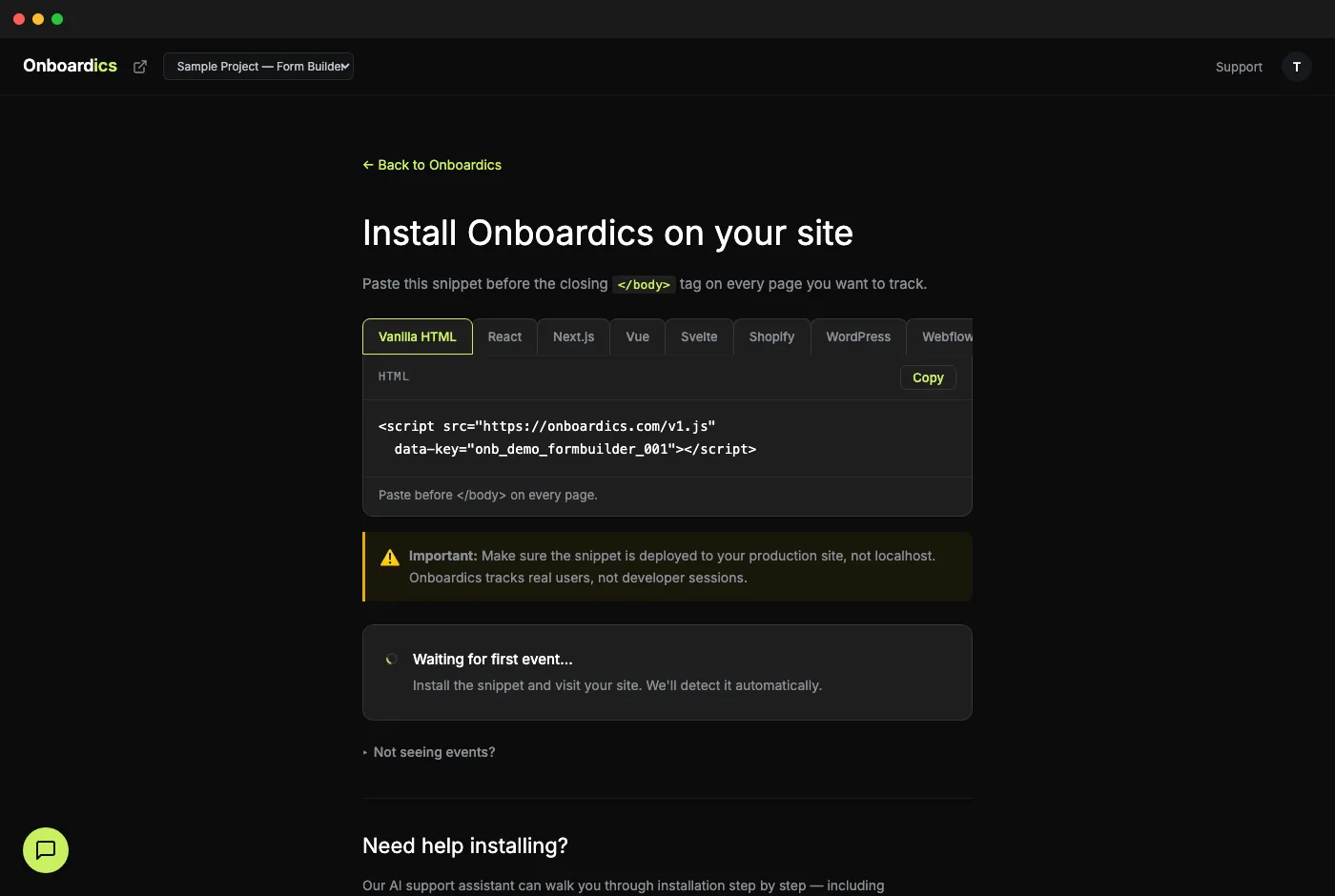
— Install in 30 seconds
<script src="https://onboardics.com/v1.js"
  data-key="YOUR_API_KEY"></script>
// In your layout or _app component
useEffect(() => {
  const s = document.createElement('script');
  s.src = 'https://onboardics.com/v1.js';
  s.dataset.key = 'YOUR_API_KEY';
  document.head.appendChild(s);
}, []);
8 framework-specific install guides available in the dashboard after signup.
— Copy-paste React hook
The snippet exposes window.__onboardics globally after load. This 8-line hook gives you a React-idiomatic wrapper — no package install, no version drift, no migration path to worry about. If we ever do ship @onboardics/react, the API will match exactly.
import { useCallback } from 'react';

export function useOnboardics() {
  const identify = useCallback((data) => {
    window.__onboardics?.identify?.(data);
  }, []);

  const track = useCallback((name, properties) => {
    window.__onboardics?.track?.(name, properties);
  }, []);

  return { identify, track };
}
import { useOnboardics } from './hooks/useOnboardics';

function Checkout({ user }) {
  const { identify, track } = useOnboardics();

  useEffect(() => {
    identify({ email: user.email, userId: user.id, plan: user.plan });
  }, [user]);

  return (
    <button onClick={() => track('checkout_started')}>
      Checkout
    </button>
  );
}
Full SDK reference on the docs page — events, identify/track/setConsent/setErrorCapture APIs, A/B variant assignment, and debug mode.
— Why developers choose Onboardics
- One-line install with framework auto-detection — 8 frameworks supported
- Plain English metric definitions — no SQL, no event schemas, no data taxonomy
- Real-time data streaming — events appear in the dashboard within seconds
- First-party data — your data stays in your Onboardics project, not shared across customers
- No third-party tracking pixels — Onboardics is the only script you add
- No proprietary event schema — the snippet captures standard browser events (page_view, click, navigation) without requiring you to define a taxonomy
- Open pricing — no "contact sales" walls, free tier to evaluate without commitment
Why developers choose Onboardics
- One script tag — no SDK, no build step, no config
- Auto-detects 8 frameworks on first page_view
- SPA-aware: handles pushState, popstate, hashchange
- First-party data — no third-party pixels
- Plain English metrics — no SQL or event schemas
Diagnose · $149/mo
Diagnose is the analytics-only tier built for engineering-led teams. Unlimited AI diagnosis, AI-defined custom metrics + segments, heatmaps, paths, cohorts, retention, replay, and AI user summaries — without paying for a no-code flow builder you don’t need. Each fix recommendation includes copy and a CSS selector ready to ship in code on your roadmap.
Want to skip the code path and let AI ship fixes as no-code flows? Upgrade to Deploy ($249) any time.
Join waitlistDirect purchase, no trial. Cancel anytime.